A Desk Setup That Holds Up Through the Afternoon
A desk that feels fine at nine in the morning can feel like a different piece of furniture by three in the afternoon. That gap is the useful thing to pay attention to, because it is where the setup is actually being tested. Nothing about a workstation is revealed in the first hour.
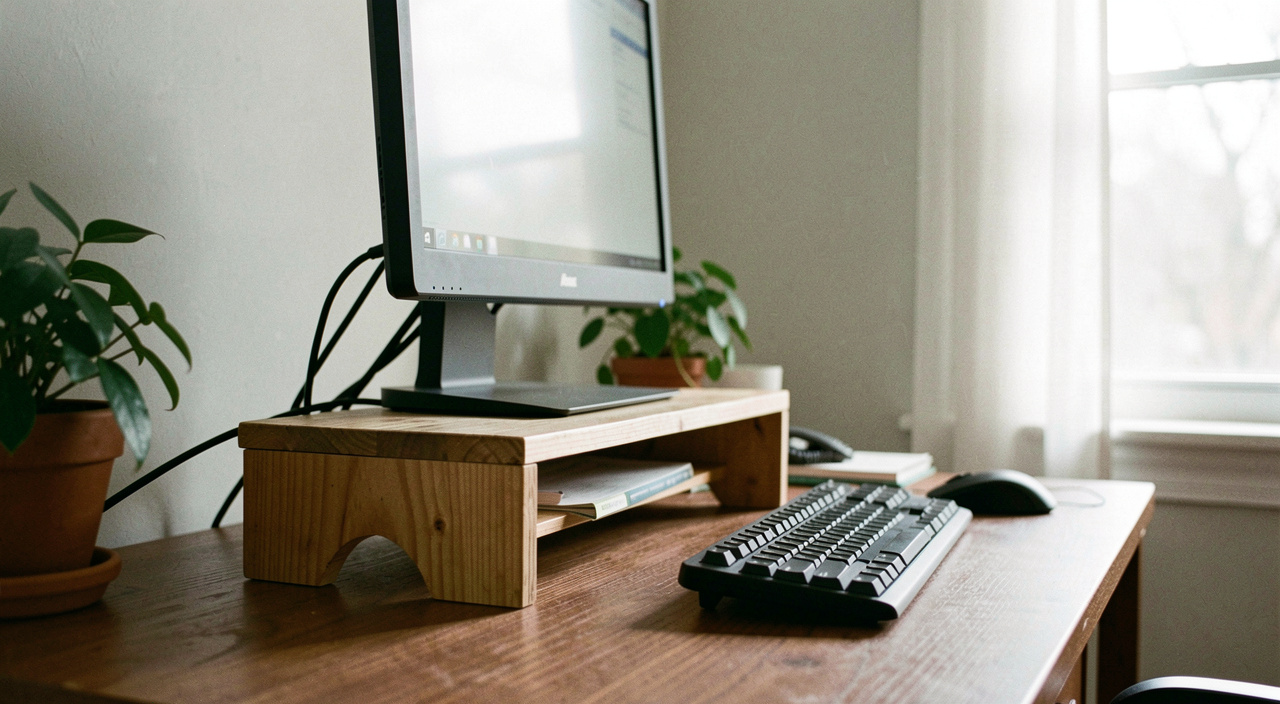
The three o'clock test
The simplest diagnostic anyone can run costs nothing. At around three in the afternoon, without adjusting anything, notice where the discomfort is. Between the shoulder blades usually means the screen is too low or too far. In the neck on one side usually means it is off centre. In the forearms usually means the desk is high relative to the chair. In the lower back usually means the feet are not supported.
That is not a diagnosis of anything, it is a way of choosing which adjustment to make first, and choosing one is the whole point. The common mistake is to change everything at once, after which nothing can be attributed to anything and the desk goes back to how it was within a week.
Start from the floor
The order that works is upwards: feet, then chair, then desk surface, then screen. Doing it in the other direction means every change undoes the previous one.
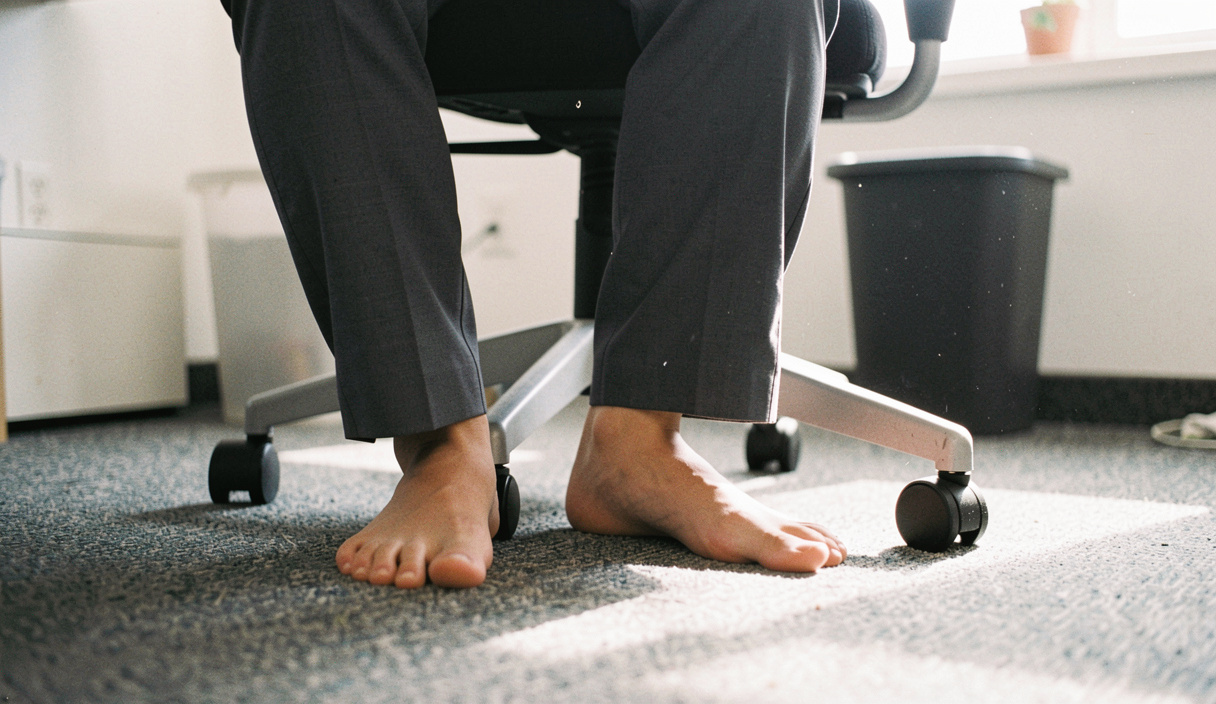
Feet flat on the floor with the thighs roughly level is the reference position everything else is set from. If the chair is at a comfortable height for the desk but the feet dangle, something under the feet fixes it: a box, a stack of books, a purpose made rest. If the feet are flat but the shoulders are hunched up towards the ears when typing, the chair is too low for the desk.
Armrests deserve a specific mention because they are the most commonly ignored adjustment on an office chair. Set too high they push the shoulders up all day. Set too low they do nothing at all. Set so the forearms rest on them at about the same height as the desk, they take a genuine amount of weight off the neck. Most people have never touched the lever.
The screen is usually too low
Almost every desk we have looked at, including our own, has the screen too low. The common guide is that the top of the screen sits at about eye level, so that the eyes look slightly down at the middle of it, and the head does not have to tilt forward to read.
The fix is not a purchase. A stack of hardbacks is the traditional monitor riser and it works perfectly. The height needed is usually less than people expect, often the thickness of two or three books, and the change is noticeable within an afternoon rather than a week.
Distance matters alongside height. A screen at arm's length is the usual guide, and a screen that has crept closer over a morning is a sign the text is too small rather than that the desk is wrong. Increasing the text size is a legitimate ergonomic adjustment and it is free.
Nothing about a workstation is revealed in the first hour. Judge it at three in the afternoon.
Where the forearms land

The forearm question is simple and widely ignored: the wrists should be roughly level rather than bent up, and the keyboard should be close enough that the elbows stay near the body rather than reaching. A keyboard pushed to the back of the desk to make room for papers is the most common cause of a shoulder that aches by mid afternoon.
The mouse follows the same rule and is worse, because it lives further out. Bringing it in by ten centimetres is a change most people can make in one second and never think about again.
Two things worth naming that are not adjustments. The first is that a desk with no free surface forces both keyboard and mouse into worse positions, which makes tidying a genuine ergonomic intervention rather than an aesthetic one, in the sense described in the piece on finishing one shelf rather than starting a room. The second is that no setup survives six unbroken hours in it, which is why the next entry in this section is about getting up rather than sitting better.
The laptop problem
A laptop cannot be set up well. The screen and the keyboard are attached, so either the screen is too low or the keyboard is too high, and there is no third option. Everyone who works on one full time is choosing between two compromises, usually without noticing they are choosing.
| Arrangement | Good for | Cost |
|---|---|---|
| Laptop flat on the desk | Short sessions, typing | Head tilted forward all afternoon |
| Laptop raised, separate keyboard | Full days | Needs two extra objects |
| Laptop plus external screen | Full days, two windows | Second screen usually ends up off centre |
| Laptop on a sofa | Nothing beyond half an hour | Everything at once |
If a second screen is in use, the one you look at most should be the one directly in front of you. A great many desks have the main screen off to one side and the secondary one centred, which is a small mistake with an all day cost.
What we noticed
Changing one thing at a time over a fortnight, the adjustment with the largest effect was raising the screen, and it took about ninety seconds and two books. The second largest was lowering the armrests, which nobody had touched since the chair was bought.
The adjustment with the least effect was the most expensive looking one: rearranging the desk itself. Moving it towards the window did improve the light considerably, which is a separate benefit set out in the piece on where the daylight in a flat actually falls, but it did nothing at all for the shoulders.
The finding that mattered most is that none of it replaced standing up. A well set desk delayed the three o'clock feeling by an hour or so. It did not remove it, and no arrangement of furniture does, which is why the companion entry on alternating between standing and sitting is the one to read next.
Read next
No setup survives six hours unbroken, which is the argument of the entry on finding a rhythm between standing and sitting.
For the two minutes between meetings, the short routine in the desk stretches entry needs no equipment and no floor space.
The cheapest interruption to a seated afternoon is a short walk, described in the piece on ten minutes of pavement after lunch.
Where the desk sits in the room decides the light it gets, which is covered in our entry on curtains, chairs and windows.